

Spotify counts a stream after 30 seconds of playback. Therefore, this guide explains a simple code that plays each Mariah Carey song for 33 to 37 seconds. Bookmark the page so you can return to the instructions.
First, we tested what Spotify counts as a stream. We compared online and offline listening in our Spotify case study. Fans often use playlists to support the artists they love. As a result, we created this method for Mariah Carey listeners.
You can use the code with popular holiday hits or an overlooked favorite. It plays one track briefly and then moves to the next song. Consequently, a playlist can continue without manual skips. Follow the steps below to set it up.
Setting Up Your 30-Second Mariah Spotify Code
- Go to Google Chrome and write open.spotify.com in the address bar
- Login to your Spotify account via this webpage
- Click on Help in top bar and search for Developer > Developer Tools
- A sidebar will open next to your online Spotify account just like the one in the photo – Select “Console”
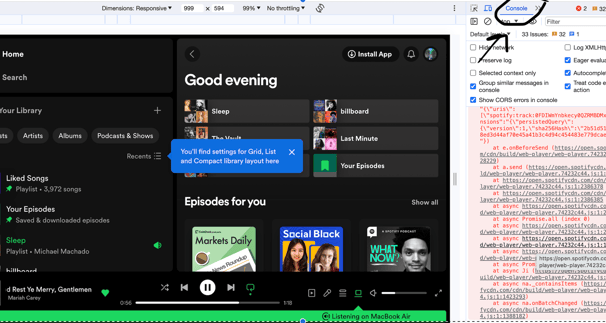
- Right at the bottom of the bar insert the following code:
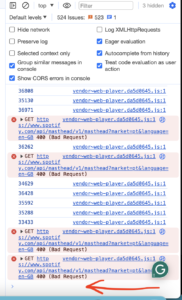
function getRandomInt(min, max) {
    min = Math.ceil(min);
    max = Math.floor(max);
    return Math.floor(Math.random() * (max - min) + min);
}
function doSomething() {
    var button = document.querySelector('[aria-label="Next"]');
    button.click();
}
(function loop() {
    var rand = getRandomInt(33000, 37000);
    console.log(rand);
    setTimeout(function() {
        doSomething();
        loop();
    }, rand);
}());- Press “Enter” and now play a song from your playlist.
The code plays between 33 and 37 seconds of each song. Then, it automatically selects the next track. Each completed interval counts as one stream under the stated Spotify rule.
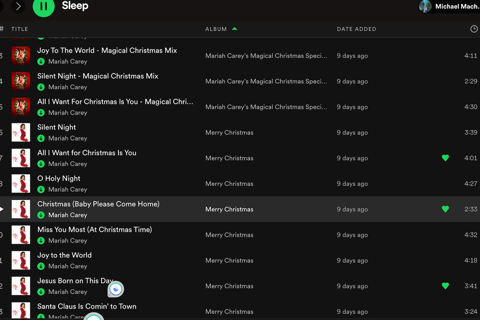
Create a Playlist with the Songs you want to show love with the Spotify code
Now all you have to do is create a playlist with the songs you want to play endlessly for 33-37 seconds each. Make sure you select the Repeat mode on your Spotify to ensure the playlist streams over and over again.
Testing Your Success
Before building a long playlist, test the code with two or three songs. Choose tracks that normally receive fewer than ten daily streams. You can compare their totals on our Spotify streaming figures page.
Afterward, let the test playlist run overnight. Check the streaming figures again 24 hours later. This comparison will help confirm whether the setup worked.
If the code worked, the selected songs should show a noticeable increase. For example, tracks with only a few daily plays may display a visible jump.

Finally, choose the songs you want to feature. You might select a track from The Rarities, a powerful remix or a song from Merry Christmas II You. The playlist is entirely up to you.
Which tracks would you add? Share your choices below. Perhaps fans can support more forgotten favorites together after Christmas.




I’d like to thank you for the efforts you’ve put in writing this blog.
I am hoping to check out the same high-grade blog
posts from yoou later on as well. In fact, your creative writing abilities
has motivated me to get my own website now 😉
I’d like to thank youu for the efforts you’ve put inn writing this blog.
I am hoping to check out the same high-grade blog posts from you later on as well.
In fact, yojr creative writing abilities has motivated me to get my
own website now 😉